Export to Fryrender
Patchwork 3D Design provides the option of exporting the job done in Matter to fryrender in order to launch photorealistic renderings.
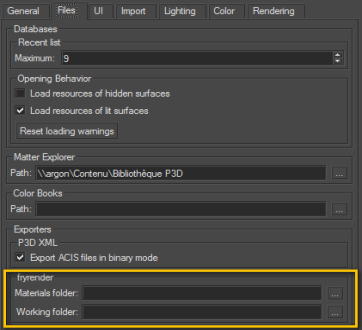
The fryrender exporter can be accessed from the submenu Product > Export > fryrender in Matter. This menu option provides access to the group of parameters concerning the render and to the group of parameters relating to the environment.
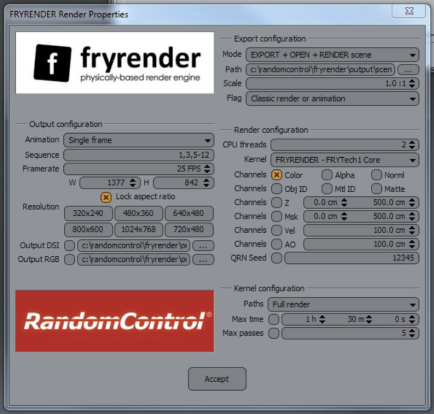
The Render Properties button is for opening the fryrender render properties editor.
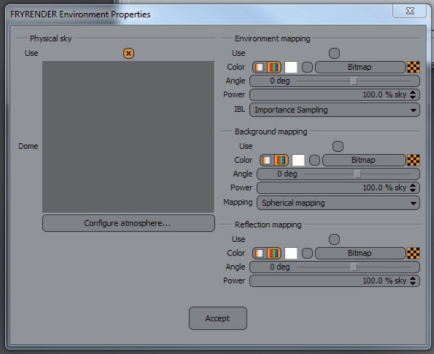
C: The Environment button is for opening the fryrender Environment Properties editor.
D: The Render button is for opening fryrender materials export in Patchwork 3D Design
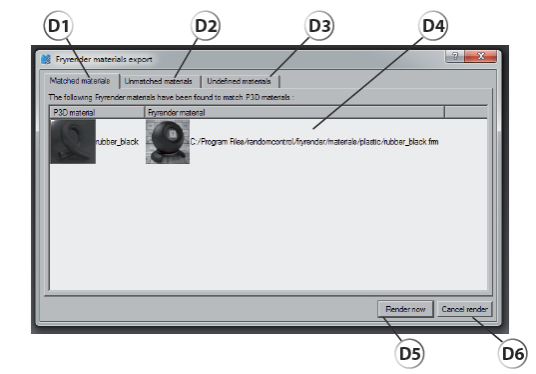
D1: The Matched materials tab lets you display the list of Patchwork 3D Design materials used in the 3D scene, which have their equivalent in fryrender. The correlation is based on the names used in both libraries. These names must match in spelling.
D2: The Unmatched materials tab is for displaying the list of Patchwork 3D Design materials that have no match in the fryrender materials library.
D3: The Undefined materials tab lets you display a note reminding you that a default material will be allocated to the surfaces with no material.
D4: List of materials associated with the selected tab.
D5: The Render now button lets you open fryrender and launch the calculation.
D6: The Cancel render button lets you exit without launching the computation.